Morph 4k
Original Xbox
Hauptsächlich zwei Bildschirmmodes 480p (Games) und 720p (XBMC4gamers)
Mehrere Auflösungen konfigurieren
Mehrere Auflösungen werden über den sogenannten Fingerprint eingestellt. Diese werden dann separat - wenn es unterschiedliche Fingerprints sind! - in der .ini Datei des Presets abgespeichert.
Die Bildgröße (Skalierung) und -verschiebung (Shift) stellt man dabei über das Eingangssignal (Input) ein.
Shift / Crop sind global definiert für ALLE Auflösungen.
Beispiel für 16:9 anamorph bei 720x480p
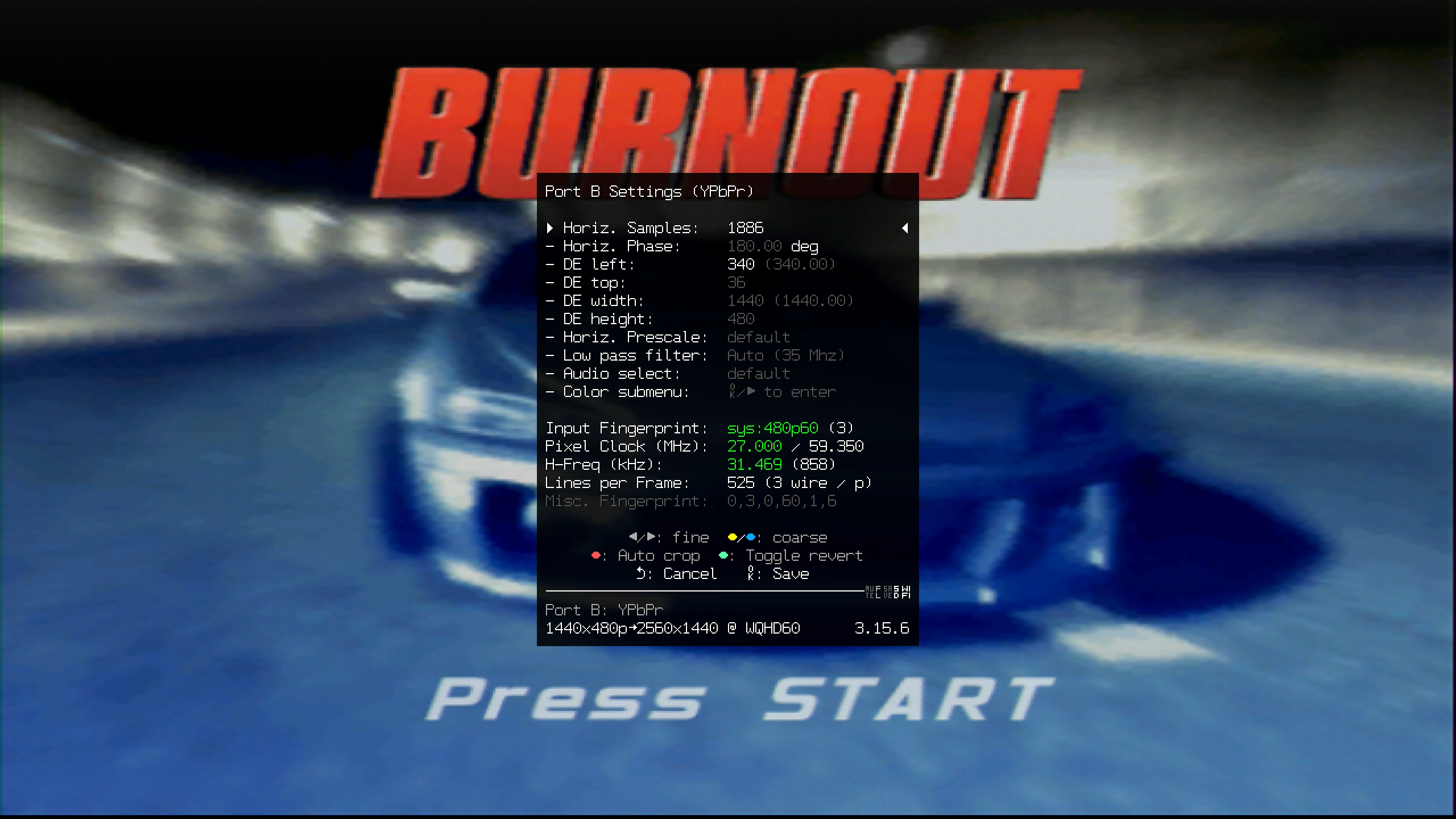
Über das Eingangssignal YPbPr an Port B eingestellt, Fingerprint: sys:480p60 (3), verändert Horiz. Samples und DE left
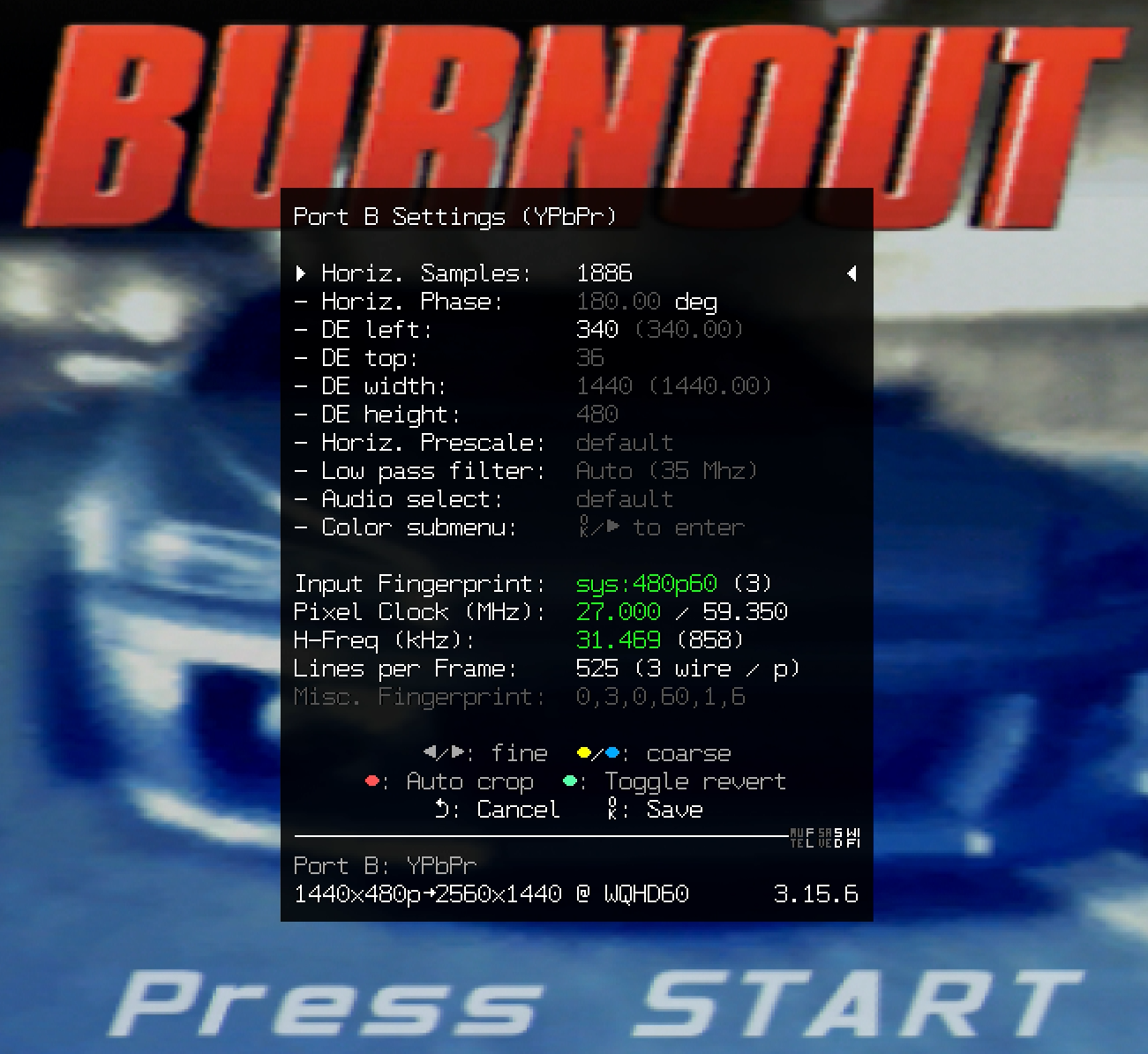
Vollbild
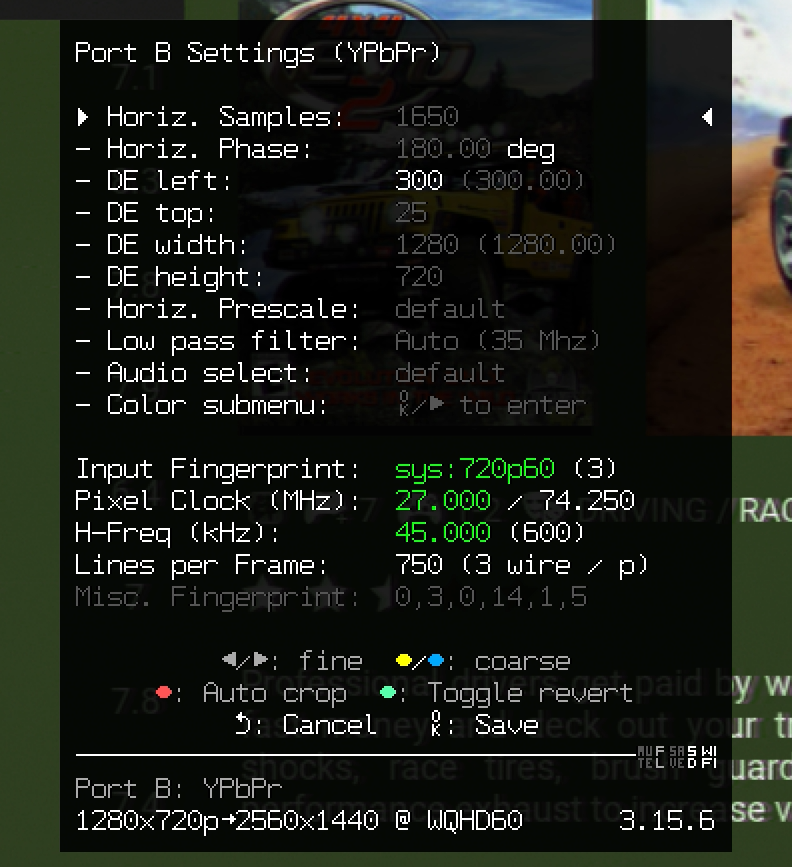
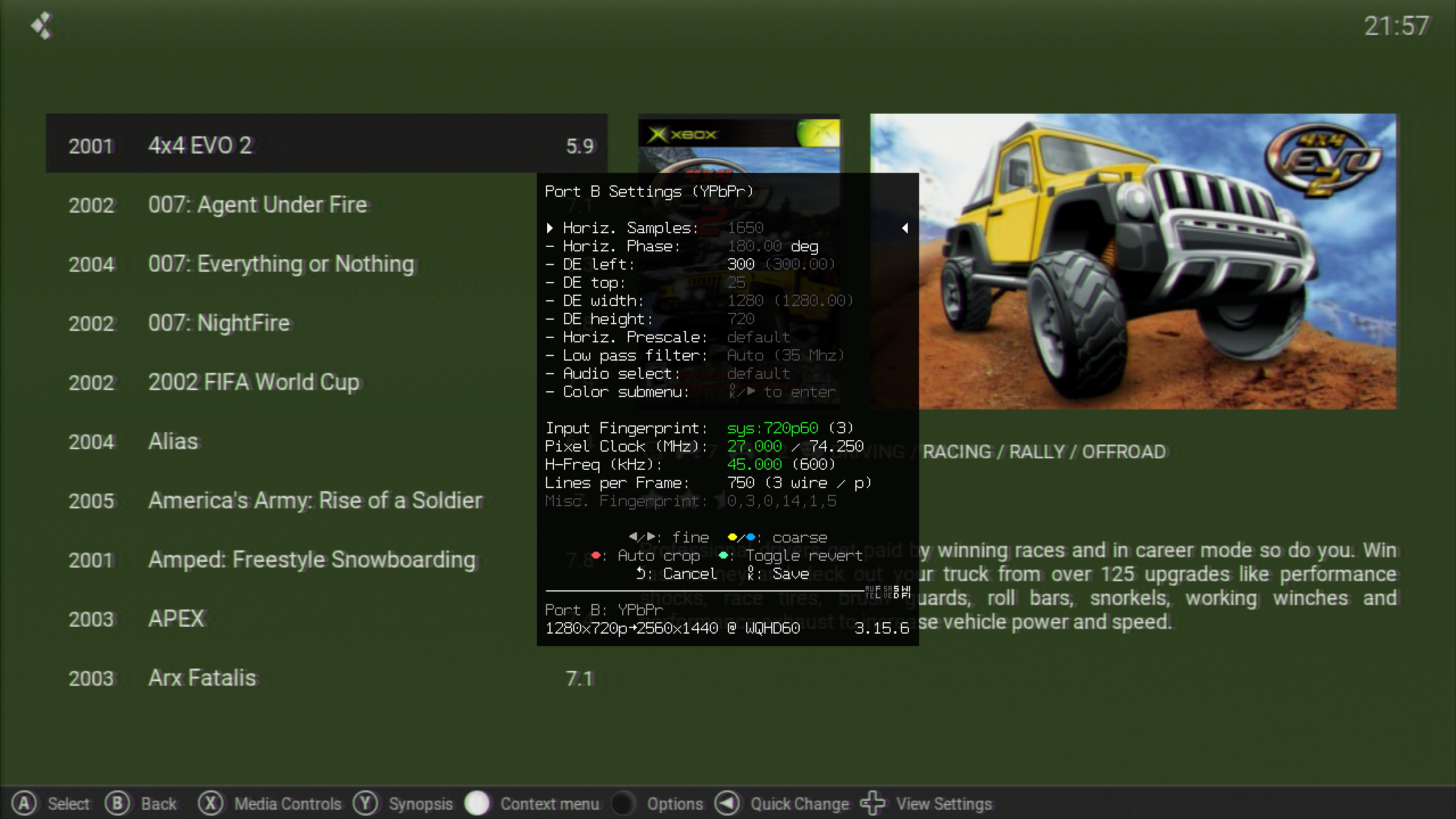
Beispiel für 16:9 720p gleiches Preset
Eingangssignal, Fingerprint: sys:720p60 (3), verändert DE left
Vollbild
Beispiel für 4:3 bei 720x480p
Dieses Preset ist von einem Internetheini :-)
Eingangssignal, Fingerprint: , verändert
Custom EDID
Modeline Aufbau
2560x1440 @50 Hz
| Timing | CVT | CVT-RB | CVT-RBv2 | .ini Value | .ini Pos |
|---|---|---|---|---|---|
| H Total | 3456 | 2720 | 2640 | 2720 | 1 |
| H Active | 2560 | 2560 | 2560 | 2560 | 2 |
| H Front Porch | 176 | 48 | 8 | 48 | 3 |
| H Back Porch | 448 | 80 | 40 | 80 | 4 |
| H Sync | 272 | 32 | 32 | 32 | 5 |
| V Total | 1484 | 1474 | 1474 | 1474 | 6 |
| V Active | 1440 | 1440 | 1440 | 1440 | 7 |
| V Front Porch | 3 | 3 | 20 | 3 | 8 |
| V Back Porch | 36 | 26 | 6 | 26 | 9 |
| V Sync | 5 | 5 | 8 | 5 | 10 |
| H Sync Polarity | - | + | + | + (1) | 11 |
| V Sync Polarity | + | - | - | - (0) | 12 |
| Default Scaler Zoom | N/A | N/A | N/A | 6.0 | 13 |
| Pixel Repetition | N/A | N/A | N/A | 0 | 14 |
| Video Information Code | N/A | N/A | N/A | 0 | 15 |
Source: https://docs.pixelfx.co/FX-Framework-Custom-Modelines.html
[NTSC]
custom1=DISPLAY_NAME, H_TOTAL, H_ACTIVE, H_FRONT_PORCH, H_BACK_PORCH, H_SYNC_WIDTH, V_TOTAL, V_ACTIVE, V_FRONT_PORCH, V_BACK_PORCH, V_SYNC_WIDTH, H_POL, V_POL, DZ, PR, VIC
custom2=DISPLAY_NAME,...

; lines starting with a ; or # or empty lines are ignored

[PAL]
custom1=DISPLAY_NAME,...
custom2=DISPLAY_NAME,...